Your site is finished and sitting on your laptop. Nobody can visit it until it lives on a server, and that is what hosting does.
Learning how to host a website is simpler than it sounds, and it can cost very little. Olitt’s free plan includes free hosting, and its WordPress hosting is listed at $9.99 a year, according to a May 2026 pricing listing.
How to Host a Website in 7 Steps
Step 1: Decide What You Are Building
Write one sentence about your goal. For example, you might want a blog for street food reviews or a shop that sells handmade soap.
That sentence tells you what you need. A simple blog needs little power, while a busy shop needs more speed and safer payments.
Step 2: Choose a Hosting Type and Plan
Hosting comes in several types:
| Hosting type | How it works | Best for | Skill needed |
| Website builder hosting | Hosting is bundled with the builder | Small business sites and landing pages | None |
| Shared hosting | Many sites share one server | Blogs, portfolios, new small sites | Low |
| WordPress hosting | Shared or managed hosting tuned for WordPress | Blogs and content sites | Low |
| VPS hosting | A private slice of a server | Growing sites and custom apps | Medium to high |
| Cloud hosting | Your site runs across several servers | Sites with spikes in traffic | Medium |
| Dedicated hosting | A whole server for you | Very large sites and heavy apps | High |
Step 3: Register a Domain Name
A domain is your site’s name, such as yourbrand.co.ke or yourbrand.com. Keep it short, easy to spell, and free of hyphens and numbers.
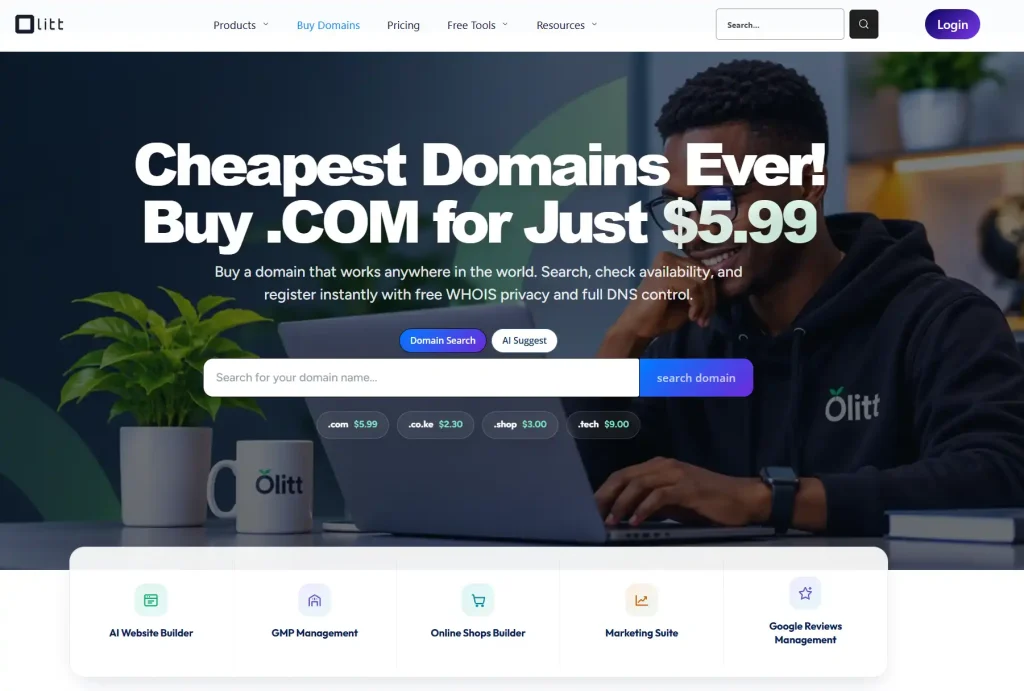
Search for your name in a domain tool and check the renewal price before you buy. Our guide to the best places to buy a domain shows what to compare.
Step 4: Connect the Domain to Your Hosting
There are two common ways to do this.
- Change the nameservers. Replace the domain’s nameservers with the ones your host gives you.
- Edit DNS records. Keep your current nameservers and add the records your host provides.
Step 5: Add Your Site
- A website builder. Answer questions or pick a template, then edit your pages on screen. This needs no setup.
- WordPress. Use your host’s one-click installer, then choose a theme and add pages.
- Your own files. Upload HTML, CSS, and images through the host’s file manager or an FTP tool, into the public folder.
Step 6: Turn On SSL
SSL encrypts the connection between your visitors and your site. It adds the padlock in the browser and an https address.
Many hosts issue it for free, and it often switches on automatically once your domain points to the server. Check that your site opens on https, and fix any page that still loads on http.
Step 7: Test, Then Go Live
- Pages and links. Click every menu item and button.
- Forms. Send a test message and make sure it arrives.
- Images. Check that none are broken or oversized.
- Spelling and details. Confirm every price, phone number, and address.
- Speed. Open the site on mobile data, not only on Wi-Fi.
What Web Hosting Means
Hosting is the service that stores your site’s files on a server and delivers them when someone types your address. Without it, your site cannot be seen.
Three terms come up often.
- Storage. The space your files use on the server.
- Bandwidth. The amount of data that moves when people visit.
- Uptime. The share of time your site stays online.
Think of the server as a shop that stays open all day. Your domain is the street address, and the hosting is the building.
Why You Need Hosting
A site with no host stays private on your computer. Hosting is what turns it into a place customers can find.
- Visibility. Search engines and visitors can only reach a hosted site.
- Credibility. A site with its own domain and an SSL padlock looks more trustworthy.
- Control. You choose the design and can move or upgrade when you need to.
- Business use. You can add contact forms, email, and a shop.
How to Choose a Web Host
Use this checklist when you compare plans.
- Speed and uptime. Look for a stated uptime of 99.9 percent or better, and test the speed yourself.
- Security. Free SSL, backups, and malware protection should come with the plan.
- Server location. Servers closer to your visitors can reduce delay, and a content delivery network helps further.
- Ease of use. A clear dashboard saves hours, especially in your first month.
- Support. Test it with a question during your trial.
- Total cost. Add the plan, the domain, and any email, then check the renewal price.
- Room to grow. Make sure you can upgrade without rebuilding your site.
Common Hosting Mistakes to Avoid
Most beginners make the same few slips.
- Buying too much power. A dedicated server is overkill for a small blog.
- Ignoring speed. Slow pages push visitors away and cost you sales.
- Skipping backups. One bad update can erase weeks of work.
- Forgetting renewals. A lapsed domain or plan can take your site offline.
- Paying for extras you will not use. Add features only when you need them.
- Choosing a host with no upgrade path. Moving later is stressful and risky.
Host Your Website With Olitt
Olitt combines an AI website builder, domains, and hosting in one account. You answer questions about your business, and the builder creates pages and content that you can edit.
Plans change, so confirm the details in the Olitt pricing section.
- Free plan. An AI-built website, free hosting, basic SEO tools, and an Olitt subdomain.
- AI Website Starter at $6.99 a month. Free SSL, SEO and marketing tools, one business email, DNS management, and version control.
- WordPress hosting from $9.99 a year. A good fit if you prefer the WordPress route, and our guide to hosting with AI website builders explains the trade-offs.
Frequently Asked Questions
What is web hosting?
Web hosting is a service that stores your website’s files on a server and delivers them to visitors. Without it, your site cannot be seen online.
How much does it cost to host a website?
Prices range from free plans to thousands of dollars a year. Olitt’s free plan includes hosting, and its WordPress hosting is listed at $9.99 a year.
Can I host a website for free?
Yes, some platforms offer free hosting, usually on a subdomain with limits. Olitt’s free plan includes hosting on an Olitt subdomain.
Do I need a domain to host a website?
You need one to use your own address. Some free plans give you a subdomain instead, and you can add your own domain later.
How long does it take for a website to go live?
Setup can take under an hour with a builder. After you connect a domain, changes can take a few minutes to 48 hours to reach everyone.
Host Your Website With Olitt Today
If you want hosting without the technical steps, you can start in minutes. Olitt gives you an AI website builder, domains, hosting, and business email in one place.
Start free, publish your first pages this week, and upgrade only when your business is ready. Your customers are already searching for you, so give them a site worth finding.