A bakery owner in Nairobi wants a website before the festive orders start. She has photos, a price list, and a phone number, but no time to learn design software.
Squarespace promises a finished site from a few questions. This guide shows how the Squarespace AI website builder works, what you will pay each year, and where Olitt can do the same job for less.
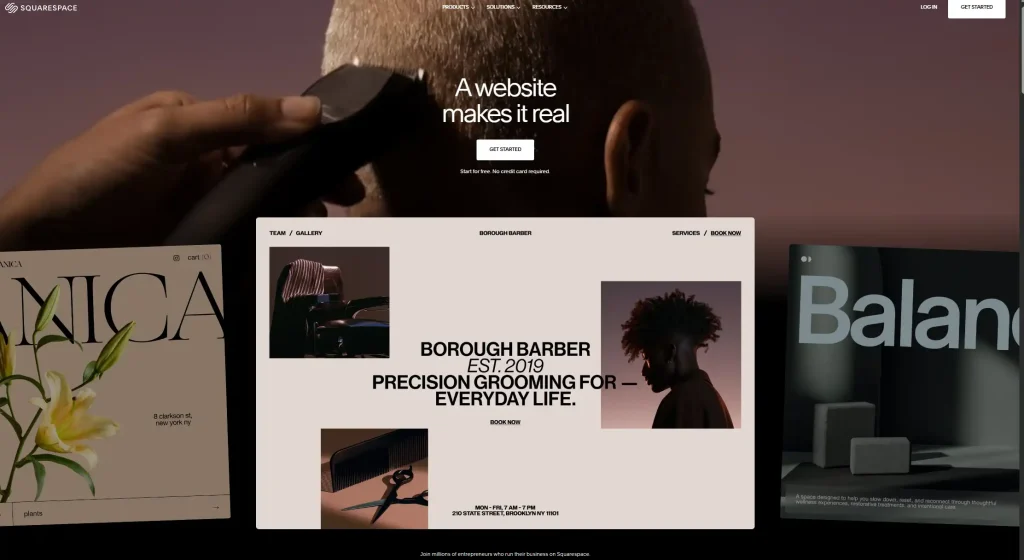
What Is the Squarespace AI Website Builder?
Squarespace is a well-known website builder with polished templates. Its AI layer is called Blueprint AI, and it is the part that creates a site for you.
You answer questions, and Blueprint AI builds a draft with pages, text, and images. You then edit that draft in Squarespace’s drag-and-drop editor.
How Blueprint AI Builds a Draft
Squarespace explains the idea on its Blueprint AI blog post. The builder asks what you are making, what visitors should do, and how the site should feel.
It also asks about your brand personality, pages, colors, and fonts. Then it produces a multi-page site with starter copy, images, and a full preview.
Other AI Helpers Inside the Editor
Blueprint is not the only AI tool. Squarespace also has an AI writer that drafts text for a page, such as a business bio or a blog post.
You can ask it to shorten or simplify what it wrote. A review from late 2025 found that the first draft can run long, so plan on trimming.
How the Squarespace AI Website Builder Works Step by Step
Here is the usual path from idea to live site. A hands-on test by Website Builder Expert says it can take under ten minutes, depending on how long you spend on each choice.
- Start a free trial and open the AI website builder.
- Describe your business and what you want visitors to do.
- Pick a mood, colors, fonts, and the pages you need.
- Review the full preview that Blueprint AI generates.
- Edit the copy, swap images, and rearrange sections with the drag-and-drop editor.
- Choose a plan, connect a domain, and publish.
The result is a solid starting point, not a finished site. Squarespace itself says you still make the final calls and can change any part.
Squarespace Pricing in Plain Numbers
Squarespace has a free trial but no free plan. To keep your site online, you pick a paid plan.
The table below comes from Squarespace’s own pricing text. Always confirm numbers on the Squarespace pricing page before you buy.
| Plan | Monthly billing | Yearly billing, per month | Yearly total |
| Basic | $25 | $19 | $228 |
| Core | $39 | $29 | $348 |
| Plus | $65 | $49 | $588 |
| Advanced | $139 | $99 | $1,188 |
Basic covers a custom domain, SSL security, SEO tools, and unlimited bandwidth. Core adds advanced analytics, customer accounts, and selling tools, and Plus and Advanced add more store features.
Prices Have Moved Up
A September 2026 pricing guide listed Basic at $16 and Core at $23 on yearly billing. Squarespace’s own text now shows $19 and $29.
That fits a reported July 2026 price rise of about 18 to 26 percent on three of the four plans. Treat any older blog post with caution, since the numbers may be out of date.
The Costs That Appear Later
The plan price is only part of the bill. Watch for these extras.
- Monthly billing premium. Paying month by month costs roughly 25 to 40 percent more over a year than paying yearly.
- Free domain for one year. Squarespace lists a free domain for the first year on Basic with yearly billing, so check the renewal price in year two.
- Transaction fees. Lower plans can add fees on store sales, and the rate depends on the product type.
- Paid add-ons. Some tools cost extra, such as Acuity Scheduling, which starts at $16 a month on yearly billing.
None of these are hidden, but they are easy to miss. Add them up before you commit.
Where the Squarespace AI Website Builder Shines
Squarespace earns its fans in a few clear situations. These are the cases where it beats a basic template builder.
- Polished design. Templates look clean and professional with little effort.
- Guided setup. The questions in Blueprint AI make the first draft feel easy.
- Starter content. You get sample text and images, so you do not face a blank page.
- Flexible layout. The drag-and-drop editor lets you resize and move content freely.
- Selling tools. Higher plans add stores, subscriptions, and cart recovery.
If you care most about looks and plan to sell online, Squarespace is a strong choice.
Tips If You Decide to Use Squarespace
Squarespace can still be the right call, and a few habits keep the bill and the stress low. These come straight from the costs above.
- Use the trial fully. Run Blueprint AI with your real business details before you pay anything.
- Edit every AI line. Read each page aloud, cut the long parts, and check every price and phone number.
- Choose yearly billing. It costs far less over a year than paying month by month.
- Set a renewal reminder. Note the date your free domain year ends, and check the renewal price.
- Match the plan to your goal. A portfolio needs Basic, while a store may need Core or higher.
- Review the bill each year. Prices moved in 2026, so compare your plan against the current list.
Spend one evening on this list before you subscribe. It is cheaper than finding the surprises after launch.
Where It Gets Tricky for Small Business Owners
Now the other side. A small local business often needs a simple site at a low cost, and that is where the friction shows.
- No free plan. You get a trial, then you pay from the first month.
- The price adds up. Basic on yearly billing is $228 a year before add-ons.
- The AI output needs editing. Reviews say generated text often needs fixing for accuracy and tone.
- Some AI tools are limited. The Beacon AI assistant had limited functionality as of late 2025.
- Prices can change. The reported 2026 rise shows how a budget can shift mid-year.
- Selling costs more. Store features sit on higher plans, and fees vary by plan.
None of this makes Squarespace a bad tool. It means the tool and the buyer need to match.
Olitt: A Simpler Path to a Business Website
Olitt takes a different route. It is an AI website builder, a domain registrar, and a hosting provider in one account, made for small businesses and entrepreneurs.
You answer questions about your business, and the builder creates pages, sections, and content for you. Then you edit anything you like and publish.
What You Get With Olitt
Plans change, so confirm details in the Olitt pricing section before you buy. At the time of writing, the plans look like this.
- Free plan. An AI-built website, free hosting, basic SEO tools, and an Olitt subdomain.
- AI Website Starter at $6.99 a month. Free SSL, SEO and marketing tools, one business email, DNS management, and version control.
- WordPress hosting from $9.99 a year. A good fit if you prefer the WordPress route.
- Domain tools. Search for a name, use the AI domain name generator, and run a WHOIS lookup in the same place.
What the Difference Adds Up To
Here is a simple cost check. It compares Squarespace Basic on yearly billing with the Olitt Starter plan at $6.99 a month.
| Time period | Squarespace Basic (yearly billing) | Olitt Starter ($6.99 a month) |
| One year | $228 | About $84 |
| Three years | $684 | About $252 |
That is a gap of roughly $144 a year. The plans do not match feature for feature, since Squarespace has deeper store tools on its higher tiers, but a bakery or salon site rarely needs them.
Squarespace and Olitt Side by Side
| Feature | Squarespace | Olitt |
| Built for | Design-led sites and online stores | Small business websites and online presence |
| Starting point | Blueprint AI questions | Questions about your business |
| Free plan | No, trial only | Yes, with an Olitt subdomain |
| Paid plans start at | $19 a month on yearly billing | $6.99 a month |
| Custom domain | Paid plan needed | Buy or connect in the same account |
| Business email | Not listed in the pricing text reviewed | One included on the Starter plan |
| Add-on costs | Scheduling and other tools extra | Flat plan pricing |
| Best for | Brand sites and growing stores | Shops, salons, clinics, freelancers |
The table does not crown a winner. It shows which tool fits which job.
Which One Fits Your Situation?
Real examples make the choice easier. Here are three common cases.
A Boutique Owner Planning a Growing Store
She expects hundreds of products, subscriptions, and cart recovery emails within a year. Squarespace suits her, because the higher plans are built for selling.
A Salon Owner in Nairobi
He needs services, prices, a map, and a way to get bookings, and he wants to pay as little as possible. Olitt fits better, because the builder creates the pages for him and the free plan lets him test first.
A Freelancer With a Portfolio
She wants a simple site on a .co.ke address with her work and a contact form. She also wants a business email on the same name.
Olitt keeps the domain, hosting, site, and email under one login. She avoids a yearly bill and extra add-ons for a six-page site.
A Five-Minute Test Before You Pay
Answer these honestly, and the right tool usually shows itself.
- Is design polish your top priority, and is your budget flexible? Lean toward Squarespace.
- Do you want to start free and pay only when you are ready? Lean toward Olitt.
- Do you plan a large online store with many products? Check Squarespace’s higher plans.
- Do you want one flat price with no add-on blocks? Lean toward Olitt.
- Do you need a domain and email in the same place? Olitt keeps it simple.
How to Start With Olitt
Getting a first version live takes less time than reading most pricing pages. Here is the usual path.
- Create your account on Olitt and open the website builder.
- Answer the questions about your business, such as what you sell and where you work.
- Review the pages the AI creates and edit text, images, and sections.
- Pick or connect a domain, using the built-in domain search if you need a name.
- Publish, then keep improving with the SEO tools as your business grows.
You can begin on the free plan and upgrade when you are ready for a custom domain and business email. If you are also weighing other builders, our reviews of the Framer AI website builder and the Lovable AI website builder cover two more routes.
Frequently Asked Questions
Does Squarespace have an AI website builder?
Yes. It is called Blueprint AI, and it builds a multi-page draft with text and images after you answer a few questions about your business.
Is the Squarespace AI website builder free?
You can start with a free trial, but there is no free plan. Keeping the site live needs a paid plan.
How much does Squarespace cost?
Squarespace’s own pricing text lists Basic at $19 a month on yearly billing and $25 on monthly billing. Core, Plus, and Advanced cost more.
Do I need to edit the AI-written text?
Yes. Reviews say the draft often needs trimming and fact checking, so read every page before you publish.
Is Olitt cheaper than Squarespace for a simple business site?
Olitt paid plans start at $6.99 a month, and there is a free plan. The better deal depends on whether you need Squarespace’s deeper store tools.
Build Your Website With Olitt Today
If you need a business website without a yearly design bill, skip the add-ons and the price jumps. Olitt gives you an AI website builder, domains, hosting, and business email in one place.
Start free, publish your first pages this week, and upgrade only when your business is ready. Your customers are already searching for you, so give them a site worth finding.