A designer finishes a landing page in Figma on Monday. By Tuesday morning the client asks the question every designer dreads, which is whether it can go live today.
That gap between a nice design and a working website is exactly what Figma now tries to close. This guide shows how the Figma AI website builder works, what it really costs, and where a plain business owner might be better off with Olitt.
What People Mean by the Figma AI Website Builder
Figma does not sell one single product with that name. Two separate tools do the job, and they work in very different ways.
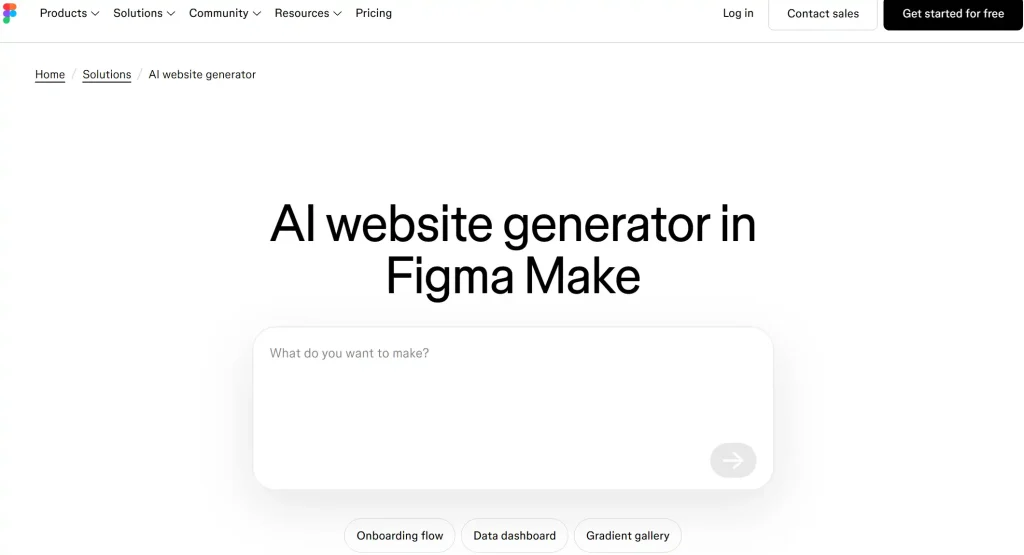
Figma Sites turns a design into a published website. Figma Make turns a text prompt into a working app or page.
If you search for a Figma AI website builder, you will land on one or both of them. Knowing which one fits your goal saves you money and a lot of frustration.
Figma Sites: Design First, Publish Second
Figma Sites is a design-to-publish tool inside Figma. You build with frames, Auto Layout, and components, then publish the result as a live site.
You can start from a template or bring in a design you already made. Teams with a Figma design system can reuse their libraries and components, which is a big win for brand consistency.
Figma Make: Prompt First, Edit Second
Figma Make works more like an AI chat. You describe what you want, and it builds a working prototype or app that you can refine with more prompts.
This is the part that feels like a classic AI builder. It is also where credits come into play, which we cover in the pricing section.
How Figma Sites Works Step by Step
Here is the usual path for someone who already knows Figma.
- Start from a template or import an existing design into Figma Sites.
- Arrange sections with frames, Auto Layout, and ready-made blocks.
- Check the layout at each breakpoint, such as desktop, tablet, and phone.
- Add motion, such as hover effects, parallax scrolling, or a marquee strip.
- Publish to a Figma address, then connect your own domain if your plan allows it.
None of this needs code.
Publishing a Make Project
Figma explains the publishing flow in its Figma Make publishing guide. A published project gets a random address that ends in figma.site.
Edits do not appear on the live version until you publish an update. If you later move to a free plan, a published file stays online at its figma.site address.
Publishing and Custom Domains
A custom domain is the web address you own, such as yourbrand.co.ke. Customers trust it more than a long address owned by a tool.
Figma supports custom domains for Sites, and Make projects use the same steps. According to CMSWire, this launched in July 2025 for paid plans.
| Domain detail | What was reported |
| Plans that qualify | Paid plans |
| Professional plan | Up to 10 custom domains |
| Organization and Enterprise | Unlimited domain connections |
| Setup | Add a TXT or CNAME record at your registrar |
| Root and www | Both are supported, with optional redirects |
| SSL certificate | Added automatically |
Figma called these services free through 2025 during the beta. Limits and pricing may have shifted since then, so check your own plan before you count on them.
If you do not own a domain yet, spend ten minutes on the name first. Our list of the best domain name generators makes the hunt faster.
Figma Pricing and AI Credits
Figma prices by seat, not by website. A seat is one person on your account, and the type of seat decides what they can do.
Third-party price guides list the Professional full seat at about $16 a month billed yearly, or $20 billed monthly.
Organization is listed at $55 and Enterprise at $90 per full seat. Confirm these on Figma’s own pricing page, since plans change often.
How Many Credits You Get
Every seat gets a monthly pile of AI credits. Figma’s credits guide lists the numbers below.
| Plan | Full seat credits each month | Dev or Collab seat credits |
| Starter (free) | 500, with a limit of 150 a day | Not listed |
| Professional | 3,000 | 500 |
| Organization | 3,500 | 500 |
| Enterprise | 4,250 | 500 |
Credits reset every month and do not roll over. When they run out, AI actions stop until the next reset, unless an admin adds more.
What Credits Actually Buy
Small jobs such as background removal cost a few credits. Bigger jobs, like those done by Figma Make, vary by task, and Figma’s own estimates run from about 30 credits for a simple edit to hundreds for heavy work.
That means a free Starter account can build a first draft, but a busy month of edits will drain it. For a team that lives in Figma all day, the Professional allowance feels roomy.
Olitt: A Simpler Path to a Business Website
Olitt takes a different route. It is an AI website builder, a domain registrar, and a hosting provider in one account, made for small businesses and entrepreneurs.
You answer questions about your business, and the builder creates pages, sections, and content for you. Then you edit anything you like and publish.
What You Get With Olitt
Plans change, so confirm details in the Olitt pricing section before you buy. At the time of writing, the plans look like this.
- Free plan. An AI-built website, free hosting, basic SEO tools, and an Olitt subdomain.
- AI Website Starter at $6.99 a month. Free SSL, SEO and marketing tools, one business email, DNS management, and version control.
- WordPress hosting from $9.99 a year. A good fit if you prefer the WordPress route.
- Domain tools. Search for a name, use the AI domain name generator, and run a WHOIS lookup in the same place.
Figma and Olitt Side by Side
| Feature | Figma Sites and Make | Olitt |
| Built for | Designers and design-led teams | Small business websites and online presence |
| Starting point | A design file or a prompt | Questions about your business |
| Pricing model | Per seat, plus AI credits | Flat plans, no credit meter |
| Free plan | Yes, 500 credits a month | Yes, with an Olitt subdomain |
| Custom domain | Paid plan needed | Buy or connect in the same account |
| Business email | Not part of Figma plans | One included on the Starter plan |
| Skill needed | Comfort with Figma tools | Answer questions, edit visually |
| Best for | Brand sites made by designers | Shops, salons, clinics, freelancers |
The table does not crown a winner. It shows which tool fits which job.
Which One Fits Your Situation?
Real examples make the choice easier. Here are three common cases.
A Brand Designer With a Client Deadline
She already built the page in Figma and the client wants it live. Figma Sites is the natural pick, because the design is done and publishing takes a few clicks.
A Salon Owner in Nairobi
He needs services, prices, a map, and a way to get bookings, and he has never opened Figma. Olitt fits better, because the builder asks about his business and creates the pages for him.
A Freelancer With a Portfolio
She wants a simple site on a .co.ke address with her work and a contact form. She also wants a business email on the same name.
Olitt keeps the domain, hosting, site, and email under one login. She avoids paying a per-seat design tool bill for a six-page site.
A Five-Minute Test Before You Pay
Answer these honestly, and the right tool usually shows itself.
- Does your brand already live in Figma files? If yes, lean toward Figma.
- Do you want a site made for you from a few questions? Lean toward Olitt.
- Do you want one flat price instead of seats and credits? Lean toward Olitt.
- Is a designer on your team to manage layouts? Figma becomes easier to run.
- Do you need a domain and email in the same place? Olitt keeps it simple.
How to Start With Olitt
Getting a first version live takes less time than reading most pricing pages. Here is the usual path.
- Create your account on Olitt and open the website builder.
- Answer the questions about your business, such as what you sell and where you work.
- Review the pages the AI creates and edit text, images, and sections.
- Pick or connect a domain, using the built-in domain search if you need a name.
- Publish, then keep improving with the SEO tools as your business grows.
You can begin on the free plan and upgrade when you are ready for a custom domain and business email. If you are also weighing prompt-based tools, our review of the Lovable AI website builder covers that route.
Frequently Asked Questions
Does Figma have an AI website builder?
Yes, through two tools. Figma Sites publishes designs as live websites, and Figma Make builds apps and pages from text prompts.
Is the Figma AI website builder free?
There is a free Starter plan with 500 AI credits a month and a daily limit of 150. Custom domains need a paid plan.
Can I use my own domain with Figma Sites?
Yes, on paid plans. You connect it by adding DNS records at your registrar, and SSL is set up for you.
Do I need design skills to use Figma Sites?
It helps a lot. You work with frames, Auto Layout, and breakpoints, so beginners face a learning curve.
Is Olitt cheaper than Figma for a simple business site?
Olitt paid plans start at $6.99 a month with no credit meter. Figma charges per seat, so the better deal depends on how many people work on the site.
Build Your Website With Olitt Today
If you need a business website and not a design workflow, skip the seats and credits. Olitt gives you an AI website builder, domains, hosting, and business email in one place.
Start free, publish your first pages this week, and upgrade only when your business is ready. Your customers are already searching for you, so give them a site worth finding.