Kiprop sells honey from his farm in Eldoret, and his website looks exactly like it did in 2019. A designer friend tells him it is time for a refresh, and a flood of web design trends lands in his lap, from 3D animation to dark mode to chatbots.
Kiprop has no big budget and no design team. He needs to know which trends will bring in customers and which ones will only slow his site down.
This guide sorts the web design trends of 2026 by what they do for a small business. You will see eight ideas worth adopting, a few to skip, and how to apply them quickly with Olitt.
What Are Web Design Trends?
Web design trends are the layouts, colors, fonts, and features that many sites share at a given time. They change as screens, habits, and technology change.
Some trends are pure style, like soft gradients. Others solve real problems, like menus that fit a thumb.
Adopt a trend when it makes your site faster, clearer, or easier to use, and skip it when it only adds decoration.
The 8 Web Design Trends at a Glance
Here is the list before the detail.
| Trend | Main Benefit | Effort | Worth It for Small Business? |
| Speed-first minimalism | Faster pages and clearer focus | Low | Yes |
| Mobile-first navigation | Easier use on phones | Low | Yes |
| Accessibility by design | More readers and fewer errors | Medium | Yes |
| Bold typography and color | Stronger brand memory | Low | Yes |
| Dark mode option | Comfort and modern feel | Medium | Sometimes |
| Subtle micro-interactions | Feedback and polish | Medium | Sometimes |
| AI personalization and chat | Faster answers and tailored content | Medium | Sometimes |
| Authentic storytelling | Trust and connection | Low | Yes |
1. Speed-First Minimalism
Minimal design is no longer only about looks. It is a speed strategy, because fewer elements mean fewer files to load.
Google measures three signals called Core Web Vitals. According to Core Web Vitals, a good page loads its main content in under 2.5 seconds, responds to taps in under 200 milliseconds, and shifts its layout by less than 0.1.
2. Mobile-First Navigation
Most of your Kenyan visitors arrive on a phone. The Communications Authority counted 52.3 million smartphone connections at the end of June 2026, as reported by Techweez.
That shift explains why menus are moving to the center and the bottom of the screen. A thumb reaches those areas easily, while a tiny link in a top corner is a struggle.
- Put your main actions within thumb reach
- Keep menu labels short, such as Shop, About, and Contact
- Make buttons large enough to tap without zooming
- Place your phone number or WhatsApp link on every page
3. Accessibility by Design
Accessibility used to be an afterthought, and the numbers show it. The 2026 WebAIM Million report found detectable accessibility failures on 95.9 percent of the top million home pages.
The most common problem was low contrast text, which appeared on 83.9 percent of those pages. Fixing it costs almost nothing and helps everyone reading outdoors in bright sun.
Start with these basics.
- Use dark text on a light background, or the reverse, with strong contrast
- Add short descriptions to important images
- Label every form field clearly
- Avoid links and buttons with no visible text
4. Bold Typography and Color
Large, confident headlines are everywhere in 2026. They tell visitors what you do in the first second.
Pair one strong display font with a plain reading font. Then add one bright accent color for buttons, so the action stands out.
This trend costs nothing and suits small brands especially well. A honey seller can pair warm gold with deep brown and look unmistakable.
5. Dark Mode as an Option
Dark mode turns light pages into dark ones, which many people find easier on the eyes at night. It can also save battery on OLED phone screens.
Treat it as an option, not a requirement. Check that your text still has strong contrast on a dark background, since poor contrast ruins the benefit.
Skip it if you cannot test it carefully, because a half-finished dark theme looks worse than none.
6. Subtle Micro-Interactions
Micro-interactions are tiny responses to a user’s action, such as a button that changes color when tapped or a small check mark after a form is sent. They tell visitors that something happened.
Use them with restraint. One or two helpful touches build trust, while ten bouncing icons slow the page and annoy people.
7. AI Personalization and Chat
AI is changing how sites feel. Some sites now adapt content to each visitor, and many add a chat helper that answers common questions.
For a small business, start simple. A chat helper that answers opening hours, prices, and delivery areas can save hours every week.
Keep a human option for complex questions, and never let a chat tool hide your phone number.
8. Authentic Storytelling
Visitors trust real faces and real places more than stock photos. Show your workshop, your team, and your products as they are.
Short text, honest captions, and local details create a connection that no template can fake. A photo of Kiprop at his hives will sell more honey than a generic jar on a white background.
Trends to Think Twice About
Not every trend deserves a place on your site. Weigh these before you copy them.
| Trend | The Risk |
| Heavy 3D and virtual reality | Slow loading on mid-range phones and limited data plans |
| Auto-playing video backgrounds | High data use and distraction |
| Tiny, light grey text | Fails contrast checks and frustrates readers |
| Complex multi-direction scrolling | Confuses visitors who want a quick answer |
| Pop-ups on every page | Annoys visitors and can hurt mobile search |
Data costs real money for many Kenyan visitors, so a lighter site is also a kinder one.
Build a Trend-Ready Site With Olitt
Olitt’s AI website builder turns a short description of your business into a draft site within minutes. You then edit the text and images, connect your domain, and publish without writing any code.
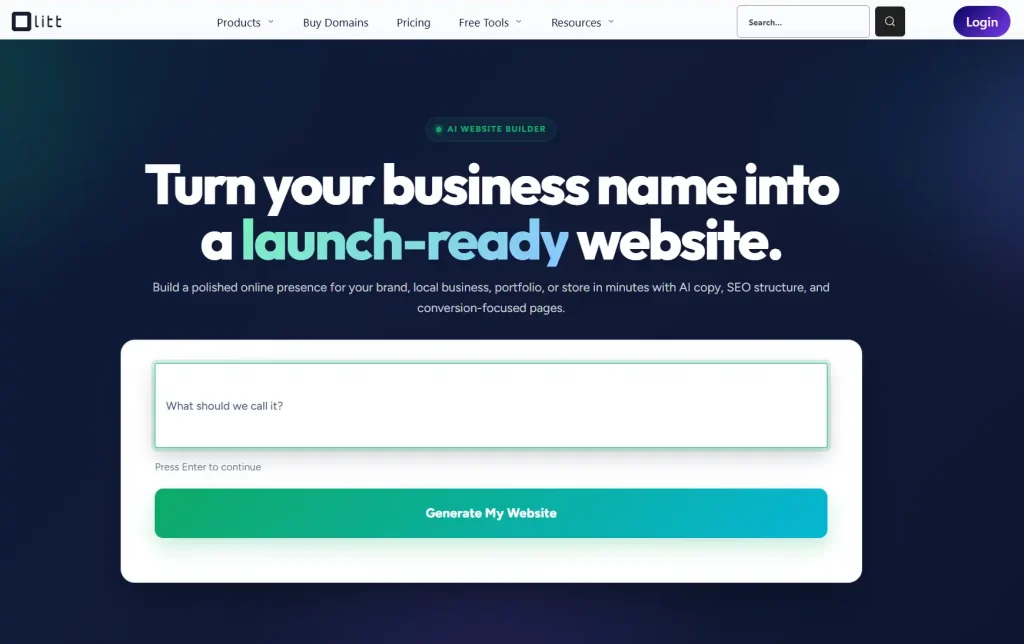
Starting from a clean draft makes the speed-first and mobile-first habits easier, because you begin with a simple layout and add only what helps. Plans start from 6.99 dollars a month.
If you are comparing options, our guide to the best hosting with AI website builders shows how the main choices differ. Our comparison of an AI website builder vs WordPress helps you choose the right style.
Do Not Forget the Domain
A modern design deserves a short, memorable address. Pick a name that is easy to say and spell, with no hyphens or numbers.
Olitt lets you search and register one in minutes, with free WHOIS privacy and free DNS management. Local endings such as .co.ke start at 2.30 dollars and .com at 5.99 dollars.
Start Your Refresh Today
The strongest web design trends of 2026 share one idea: make your site faster, clearer, and kinder to the person holding the phone. You do not need every trend, only the few that fit your customers.
Search for your domain now and register it through Olitt, then let the AI build your first draft today.
Frequently Asked Questions
What are the biggest web design trends in 2026?
The main ones are speed-first minimalism, mobile-first navigation, accessibility, bold typography, and AI-powered personalization. Dark mode and micro-interactions are useful extras.
Do web design trends affect SEO?
Yes, indirectly. Trends that improve speed, mobile use, and readability help search performance, while heavy animation can slow your pages.
Should a small business follow every trend?
No. Pick the few that fit your customers and budget, and skip the rest.
How often should I update my website design?
Review it once a year and refresh small parts as needed. A full redesign is rarely needed more often than every few years.
Can I use these trends without a designer?
Yes. An AI website builder such as Olitt gives you a clean draft that you can edit yourself.